Wearable 앱에 들어가 워치나 밴드 설정 - 알림에 들어가
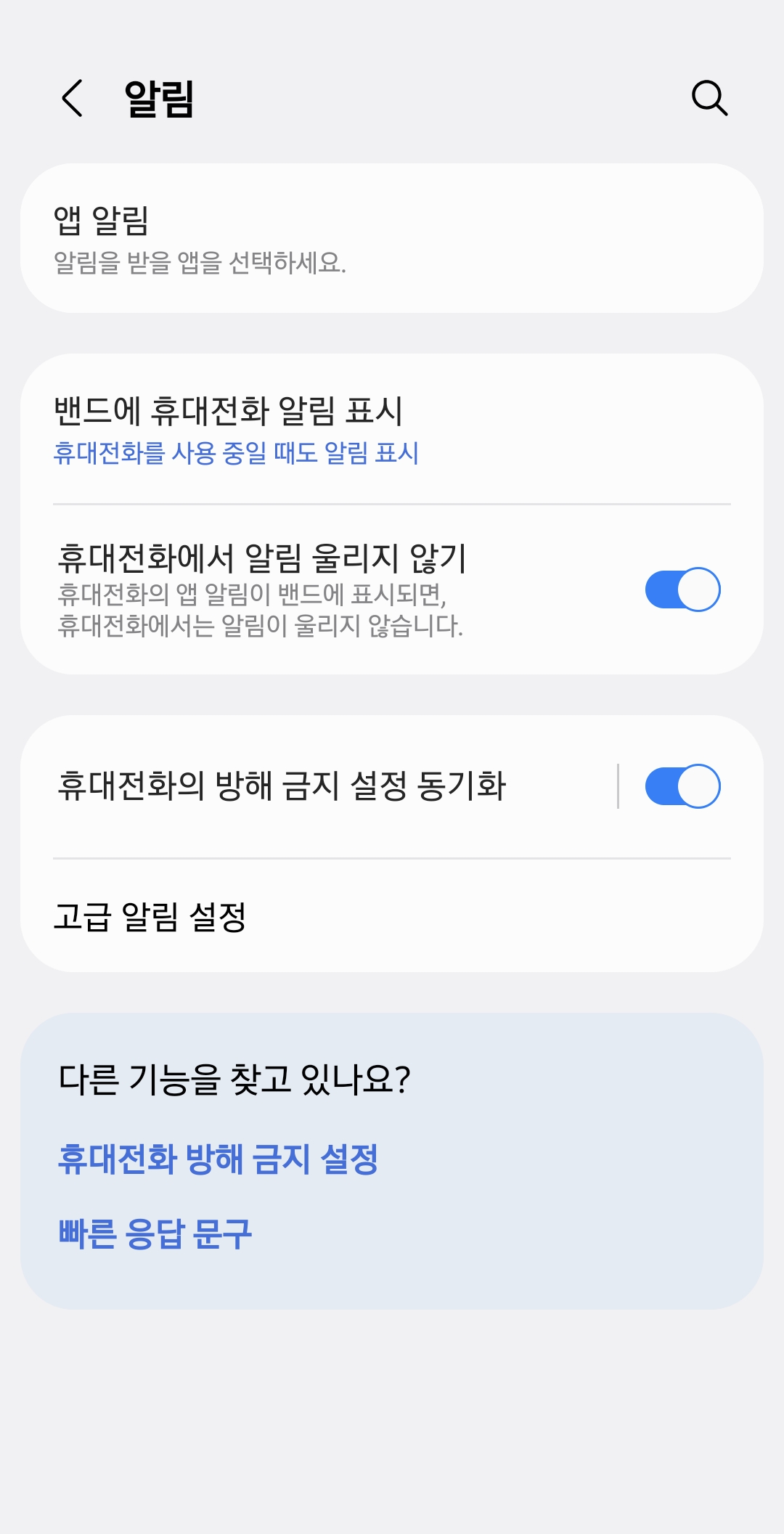
휴대전화의 방해 금지 설정 동기화 체크해 준 후 휴대전화 방해 금지 설정 동기화 메뉴를 누른다.
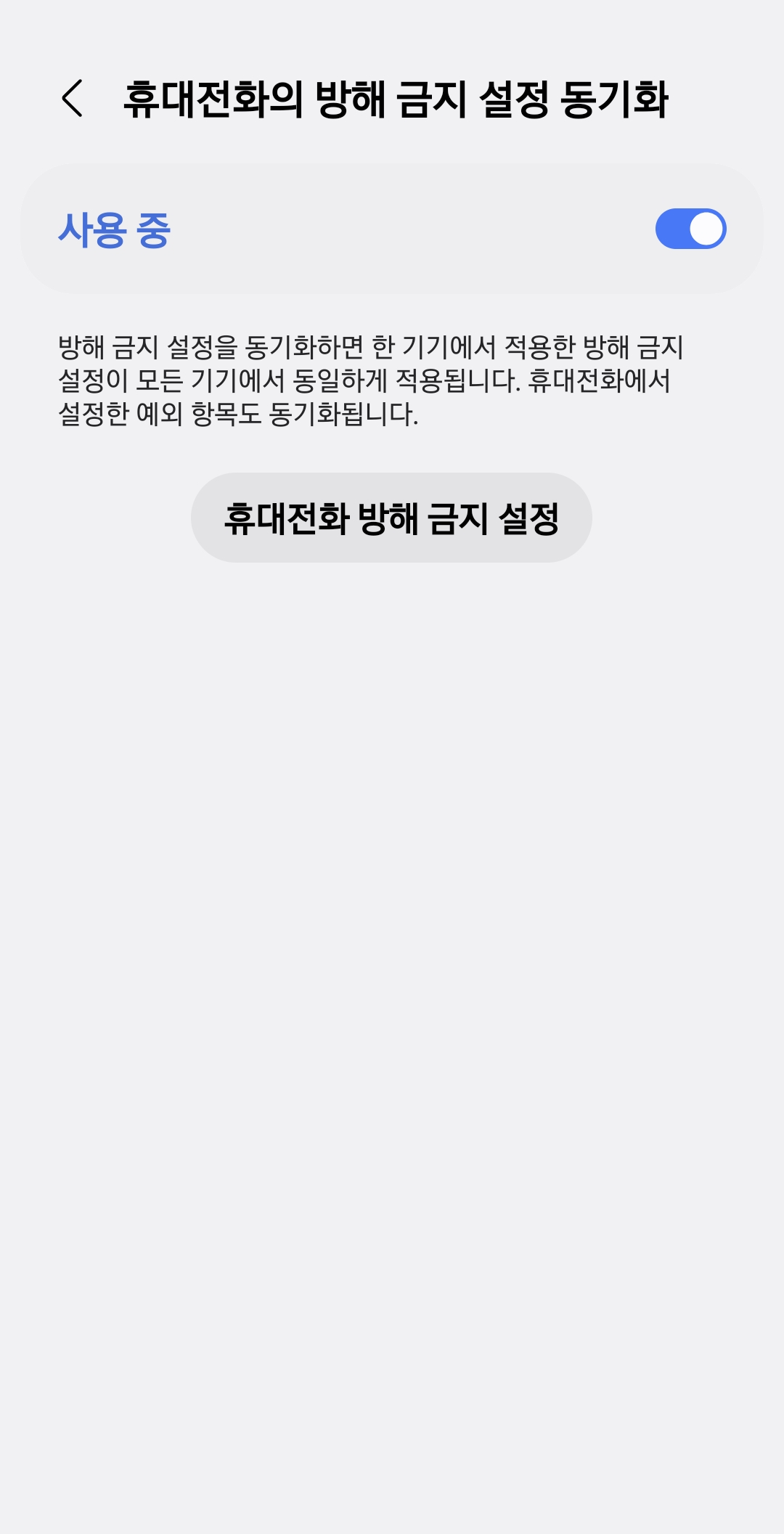
그리고 휴대전화 방해 금지 설정 버튼을 눌러 방해 금지를 해제해주면 마이너스 표시가 없어진다.
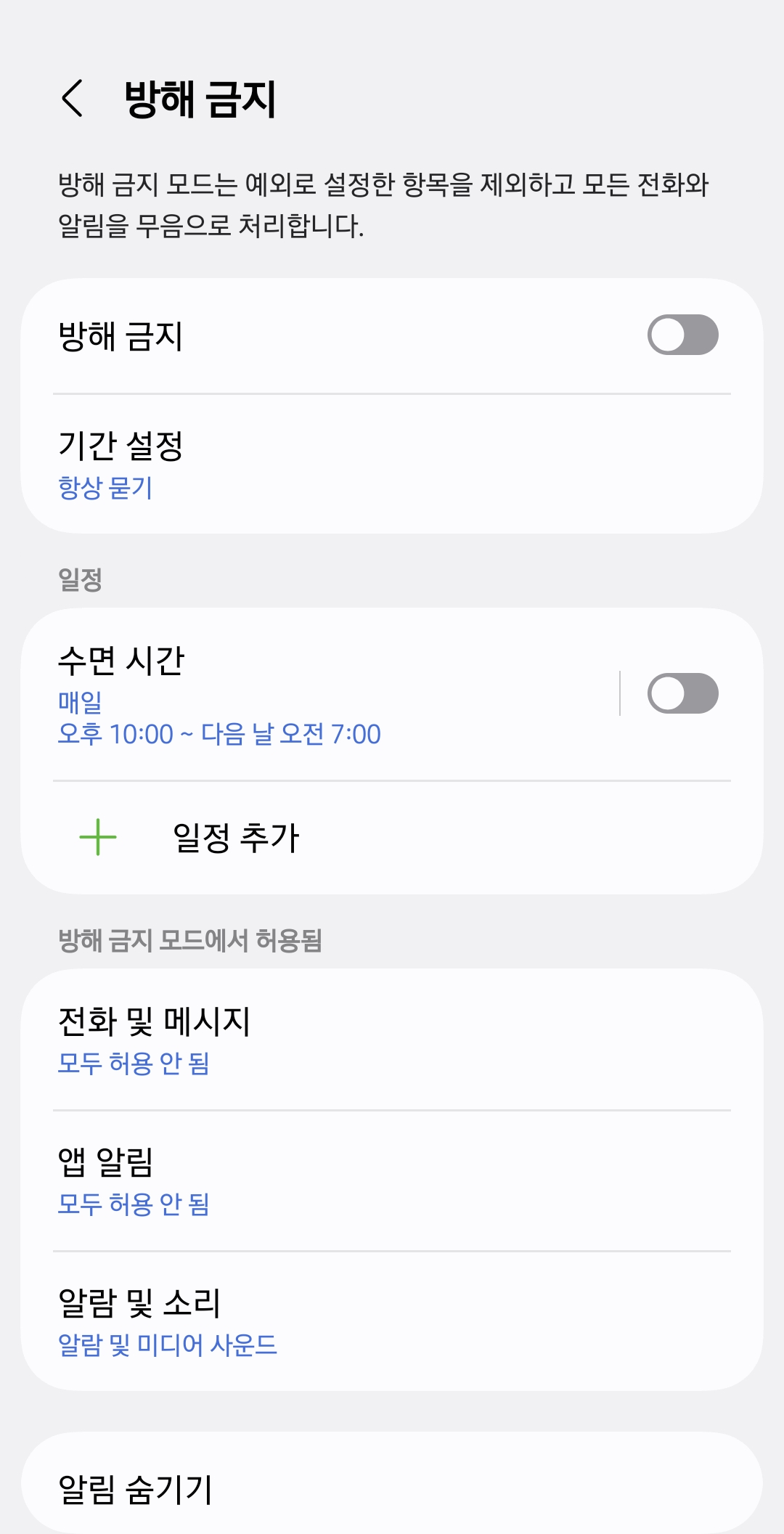
즉 이 마이너스 표시는 방해 금지 설정이 되어 있다는 말이다.
How to remove the minus sign on Galaxy Fit or Watch
Go to the Wearable app and enter Watch or Band settings - Notifications.
Check the "Sync Do Not Disturb settings with phone" option, then tap the "Sync Do Not Disturb settings with phone" menu.
Then press the "Phone Do Not Disturb settings" button to turn off Do Not Disturb, and the minus sign will disappear.
In other words, this minus sign indicates that Do Not Disturb mode is enabled.
반응형